Your QR menu from a photo, right inside ChatGPT or Claude.
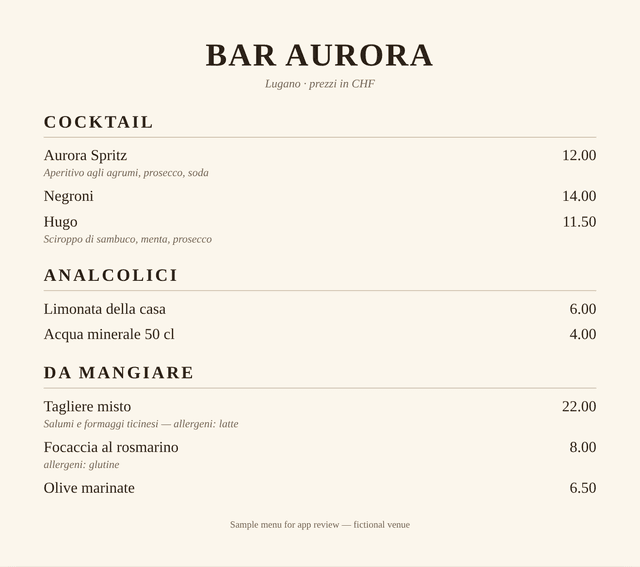
Connect the PRENOTO Menu app once. Then send a photo of your menu and you get a private preview link in seconds, already translated into 6 languages.
How it works
ChatGPT
- 1
Connect the app once
Open the apps directory in ChatGPT, search for “PRENOTO Menu” and tap Connect. No account or password needed.
- 2
Send the photo
In any chat, attach a photo or PDF of your menu, type @PRENOTO Menu and ask for your digital QR menu.
Claude
- 1
Add the connector once
Open the connectors directory in Claude, find “PRENOTO Menu” and connect it. No account or password needed.
- 2
Send the photo
Attach a photo or PDF of your menu and ask Claude to create your digital QR menu. Claude uses PRENOTO Menu by itself.
- 3
Open the preview
You receive a private link. Check dishes, prices and allergens: the menu already opens in the guest's phone language.
- 4
Activate and print the QR
Tap “Continue with this menu”, create your account and download the QR table card ready to print.
Tips for a perfect result
- Photograph each page straight on, with good light.
- If the menu has several pages, send them all in the same message.
- If a price can't be read, it is flagged for you instead of being invented.
- Dish photos are added later from your panel.
Questions
Do I need an account to try it?
No. You only create a PRENOTO Menu account when you decide to activate the menu from the preview link.
Can the AI make up dishes or allergens?
It is told to keep names and prices exactly as written and to include allergens only when they appear on your menu. Always check the preview before publishing.
Can I change the menu later from ChatGPT or Claude?
Not yet. After activation you edit prices, dishes and photos from your PRENOTO panel, on your phone.
How long does the preview last?
30 days. Activate it before then to keep it.
Prefer not to use AI?
Send us your menu and the PRENOTO team prepares it for you.